
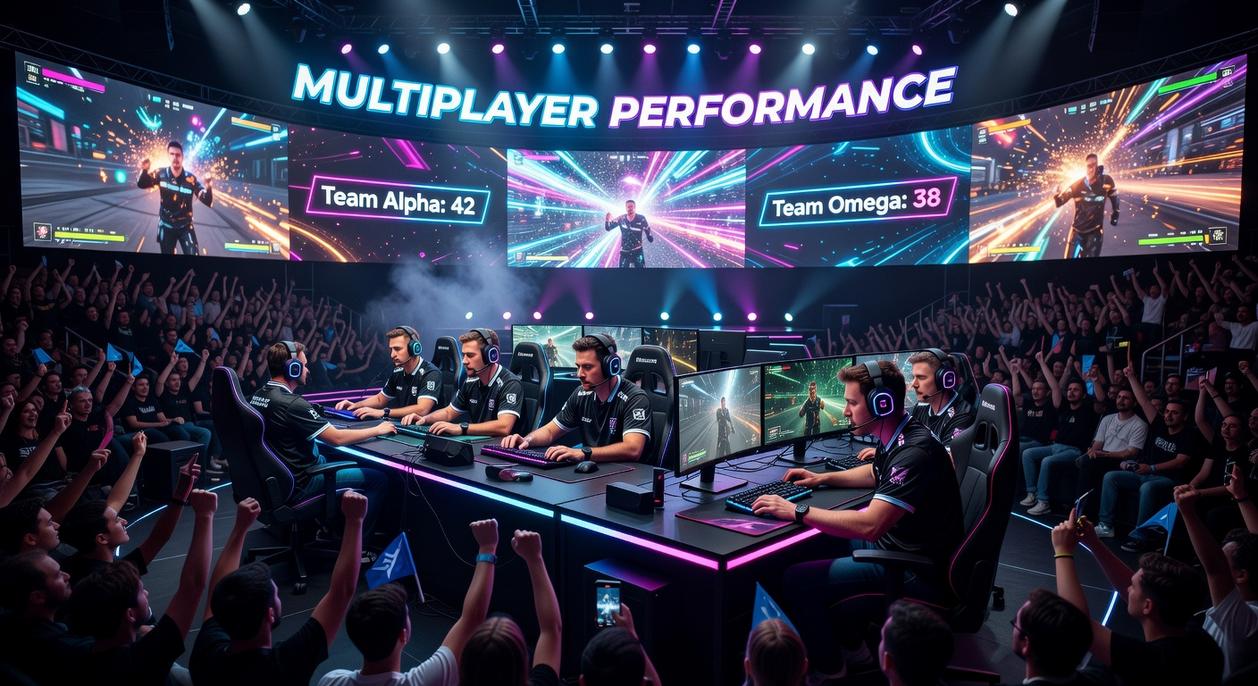
If you’re searching for reliable updates on Gamefront news, smarter multiplayer tactics, or an honest breakdown of Lightnite’s battle royale mechanics, you’re in the right place. This article is built to give you exactly what you came for: clear insights, practical strategies, and straightforward console and PC game reviews that help you play better and choose wisely.
We go beyond surface-level impressions. Every pc game performance review is grounded in hands-on testing across different hardware setups, careful analysis of frame rates and stability, and direct comparison with competing titles. When it comes to Lightnite’s mechanics, we break down weapon balancing, map flow, and combat strategies so you can gain a competitive edge in real matches.
Our coverage combines real gameplay experience, deep dives into patch notes, and insights drawn from active multiplayer communities. The goal is simple: give you accurate, actionable information you can trust—whether you’re optimizing performance or sharpening your next drop strategy.
Understanding a game’s performance goes far beyond watching an FPS counter climb or crash. Instead, you learn what those numbers mean for responsiveness, stability, and long-term hardware health. That shift alone gives you an edge, whether you’re competing online or drafting a pc game performance review.
To break it down:
- Measure frame consistency, not just averages.
- Track CPU and GPU utilization during peak action.
- Monitor frame times and network latency together.
As a result, you diagnose stutters, prevent overheating, and communicate technical insights clearly and confidently. Ultimately, this knowledge saves money and boosts competitive confidence long term.
The Core Vitals: Mastering FPS, Latency, and Frame Times
Most players obsess over average FPS (frames per second), meaning how many images your GPU renders each second. But averages hide problems. The real stutter shows up in 1% and 0.1% low FPS—the slowest 1% or 0.1% of frames. These dips reveal micro-stutters that make gameplay feel uneven, even if your average says 120 FPS. Think of it like a car that usually drives 60 mph but randomly slams the brakes (not great in a firefight).
Frame time—measured in milliseconds (ms) between each frame—is what your hands actually feel. At 60 FPS, frame time is about 16.6 ms. At 120 FPS, it’s 8.3 ms. More important than the number is consistency. A locked 60 FPS with steady 16.6 ms frame times often feels smoother than a shaky 90 FPS bouncing between 8 and 25 ms.
Don’t confuse input lag with network latency (ping). Input lag is the delay from clicking your mouse to seeing the action on-screen. Network latency is the time data takes to reach the game server, measured in milliseconds. Both matter in multiplayer titles—one affects responsiveness, the other fairness.
For practical measurement, use MSI Afterburner with RivaTuner Statistics Server or CapFrameX. They provide accurate overlays and detailed logs for any pc game performance review.
Under the Hood: How Gameplay Mechanics Stress Your System
Modern games don’t just “look demanding.” They divide work between two key components: the CPU (Central Processing Unit) and the GPU (Graphics Processing Unit). When one hits its limit before the other, you get a bottleneck—meaning performance is capped by that part.
CPU vs. GPU Bottlenecks (Simplified)
If lowering graphics settings boosts FPS, you were likely GPU-bound. If performance barely changes, your CPU is probably the limit.
| Scenario | Likely Bottleneck | Why |
|---|---|---|
| High resolution, ultra textures | GPU |
More pixels and effects to render |
| Large player counts | CPU | More calculations per frame |
| Complex physics destruction | CPU | Real-time object simulation |
| Ray tracing enabled | GPU | Heavy lighting calculations |
(Pro tip: Monitor GPU usage. If it’s near 100% while CPU sits lower, the GPU is working overtime.)
Battle Royale: The Ultimate Stress Test
Battle royale games push CPUs hard. Tracking 100 players, calculating bullet trajectories, managing massive draw distances, and handling destructible environments create constant simulation load. Unlike linear shooters, the map and player interactions evolve dynamically. That’s why even powerful GPUs can’t save you from stutters if your CPU struggles.
AI and Simulation Heavy Games
Strategy titles and sandbox games rely on NPC AI (non-player character artificial intelligence) and layered simulations. Every decision tree, pathfinding calculation, or economic system update taxes the CPU. Lowering shadows won’t fix that (frustrating, but true).
The VRAM Question
VRAM (Video Random Access Memory) stores textures and assets the GPU needs immediately. Higher resolutions and ultra textures consume more VRAM. When exceeded, data spills into slower system RAM, causing stutter and texture pop-in.
For broader context, see this console vs pc gameplay experience a detailed comparison review.
Understanding these mechanics makes any pc game performance review far more meaningful.
The Multiplayer Factor: Analyzing Network Performance and Server Health
Understanding Tick Rate
Server tick rate is how many times per second a server updates the game world. A 64-tick server updates 64 times per second; 128-tick doubles that. In fast shooters, higher tick rates mean tighter hit registration and more accurate player positions. Think of it like frames per second for the server—LOW TICK, LOOSE FEEL. High tick rates reduce those “I swear I hit that” moments (we’ve all yelled at our screens).
Some argue tick rate is overrated and that player skill matters more. Skill absolutely matters—but data from competitive scenes like CS esports shows pros prefer 128-tick for consistency (Valve developer documentation). Precision compounds at high levels.
Packet Loss and Jitter
Ping gets the spotlight, but packet loss (data never arriving) and jitter (inconsistent arrival times) cause dying behind walls. Even 1–2% packet loss can disrupt real-time games (Cisco networking reports). STABLE > FAST.
Client-Side vs. Server-Side
Client-side prediction guesses outcomes locally; server-authoritative models verify everything centrally. The latter prevents cheating but can feel harsher on high latency. I suspect future shooters will hybridize further—AI-assisted smoothing is likely (speculation).
Testing Network Quality
- Use in-game network graphs to monitor loss and jitter
- Run traceroutes to spot ISP routing issues
- Compare matches to isolate server-side spikes
Pro tip: treat network testing like a pc game performance review—change ONE variable at a time.
Building Your Benchmark: A Repeatable Testing Methodology
First, create a “canned” run—a fixed gameplay segment you can replay consistently. In Lightnite’s Neo Tokyo district, for example, you might drop at the same rooftop, rotate through the market alley, and trigger one mid-range firefight. The goal is representativeness: a slice of gameplay that reflects typical GPU spikes, CPU draw calls, and asset streaming (not just a quiet corner of the map).
Next, control variables. Lock resolution, graphics preset, ray tracing, and even in-game time of day. Dynamic weather in Unreal Engine titles can skew frame pacing, so disable it if possible. Otherwise, your A/B test turns into guesswork.
Then, log 5–10 minutes using tools like MSI Afterburner or CapFrameX. Review average FPS, 1% lows (the worst-performing 1% of frames), and frame-time variance. Spikes often signal shader compilation or VRAM limits.
Finally, apply this framework to any pc game performance review scenario—whether comparing GPUs or evaluating a new patch—so your conclusions are fair, repeatable, and grounded in data.
From Numbers to Narrative: What Your Performance Analysis Really Means
You now have a complete framework for analyzing game performance, from FPS and frame-time variance to latency and packet loss. In practice, this structured approach removes guesswork. For example, a drop from 120 FPS to 75 during explosions, paired with stable 20ms latency, points to GPU strain—not network lag (a common scapegoat).
Moreover, studies show players notice input delay increases above 50ms far more than minor visual dips (NVIDIA Reflex research). By combining hard metrics with gameplay context, your pc game performance review becomes evidence-driven. Now apply this method today.
For an immersive gaming experience like that offered by Grollgoza Offline, understanding the nuances of graphics, FPS, and optimization in our in-depth PC game performance review is crucial.
Master Your Next Match with Smarter Strategy
You came here looking for clarity on gameplay mechanics, multiplayer tactics, and whether this title truly delivers where it counts. Now you have a sharper understanding of the strategies that win matches, the strengths and weaknesses across platforms, and what to expect from the latest updates.
If you’ve been frustrated by inconsistent performance, confusing mechanics, or wasting time on unreliable reviews, you’re not alone. Making the wrong move in a competitive battle royale or trusting the wrong breakdown can cost you wins.
The smartest next step? Dive deeper into expert-backed breakdowns, detailed pc game performance review insights, and advanced tactical guides designed to give you a real competitive edge. Thousands of competitive players rely on our in-depth analysis and gameplay-tested strategies to improve faster and play smarter.
Don’t leave your next victory to chance. Explore the latest guides, sharpen your loadout strategy, and step into your next match fully prepared to dominate.
 There is a specific skill involved in explaining something clearly — one that is completely separate from actually knowing the subject. Kaelith Kryndalla has both. They has spent years working with leveling and power-up tips in a hands-on capacity, and an equal amount of time figuring out how to translate that experience into writing that people with different backgrounds can actually absorb and use.
Kaelith tends to approach complex subjects — Leveling and Power-Up Tips, Gamefront News, Multiplayer Tactics and Modes being good examples — by starting with what the reader already knows, then building outward from there rather than dropping them in the deep end. It sounds like a small thing. In practice it makes a significant difference in whether someone finishes the article or abandons it halfway through. They is also good at knowing when to stop — a surprisingly underrated skill. Some writers bury useful information under so many caveats and qualifications that the point disappears. Kaelith knows where the point is and gets there without too many detours.
The practical effect of all this is that people who read Kaelith's work tend to come away actually capable of doing something with it. Not just vaguely informed — actually capable. For a writer working in leveling and power-up tips, that is probably the best possible outcome, and it's the standard Kaelith holds they's own work to.
There is a specific skill involved in explaining something clearly — one that is completely separate from actually knowing the subject. Kaelith Kryndalla has both. They has spent years working with leveling and power-up tips in a hands-on capacity, and an equal amount of time figuring out how to translate that experience into writing that people with different backgrounds can actually absorb and use.
Kaelith tends to approach complex subjects — Leveling and Power-Up Tips, Gamefront News, Multiplayer Tactics and Modes being good examples — by starting with what the reader already knows, then building outward from there rather than dropping them in the deep end. It sounds like a small thing. In practice it makes a significant difference in whether someone finishes the article or abandons it halfway through. They is also good at knowing when to stop — a surprisingly underrated skill. Some writers bury useful information under so many caveats and qualifications that the point disappears. Kaelith knows where the point is and gets there without too many detours.
The practical effect of all this is that people who read Kaelith's work tend to come away actually capable of doing something with it. Not just vaguely informed — actually capable. For a writer working in leveling and power-up tips, that is probably the best possible outcome, and it's the standard Kaelith holds they's own work to.